 Aigon
Aigon
Terminal tabs everywhere
Parallel agents generate momentum, but tracking what each one did and why becomes manual overhead.
Spec-driven development · Multi-agent orchestration
Aigon captures the full product lifecycle — research, feature delivery, and user feedback — in specs and logs committed directly to your repository. Run one agent with tight control, or orchestrate competing implementations in parallel — then evaluate and merge the best outcome.
Codex and Gemini compete, Claude Code evaluates — best implementation wins.
1. Fleet started — agents implementing in parallel
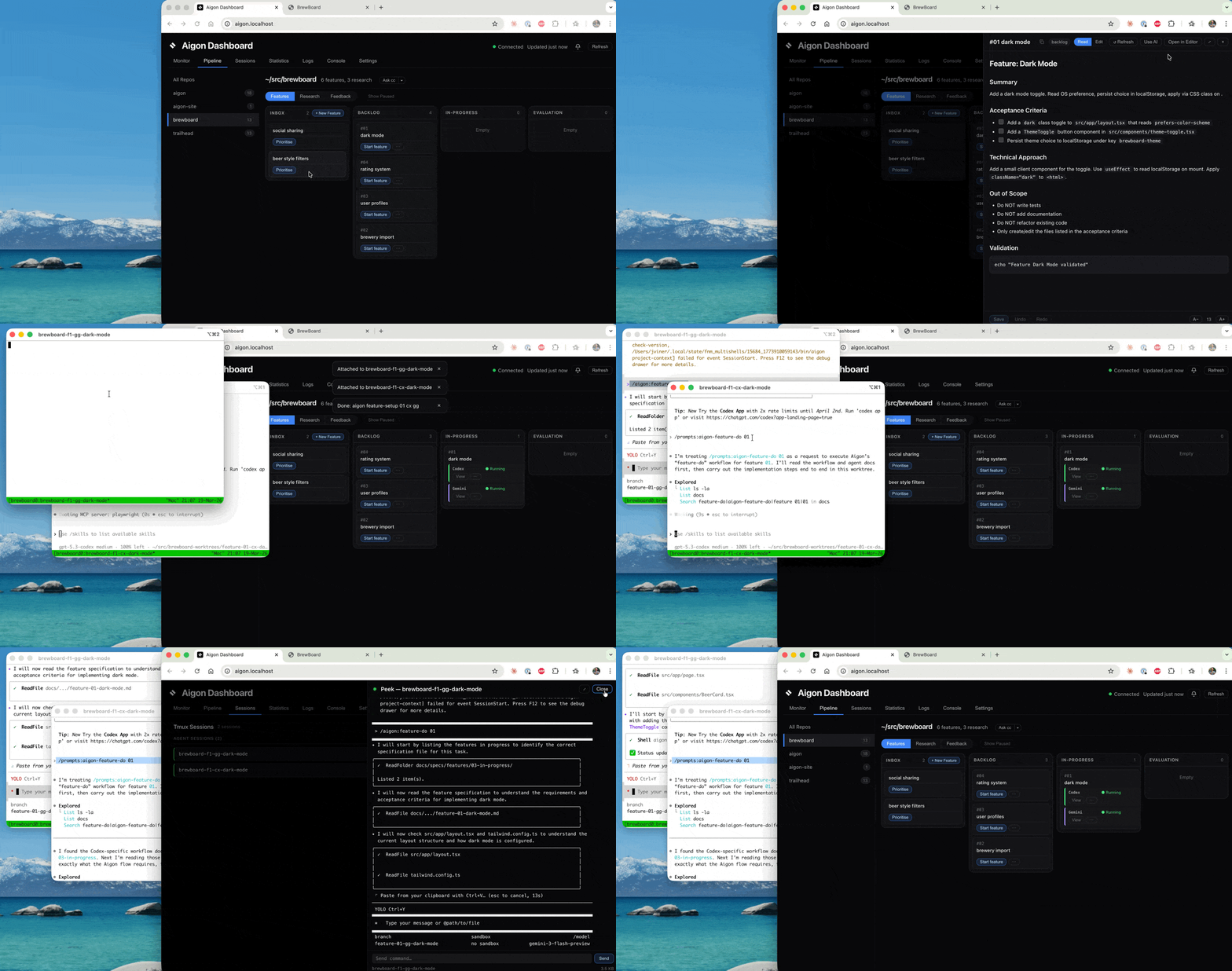
2. Both submitted — Claude Code evaluating
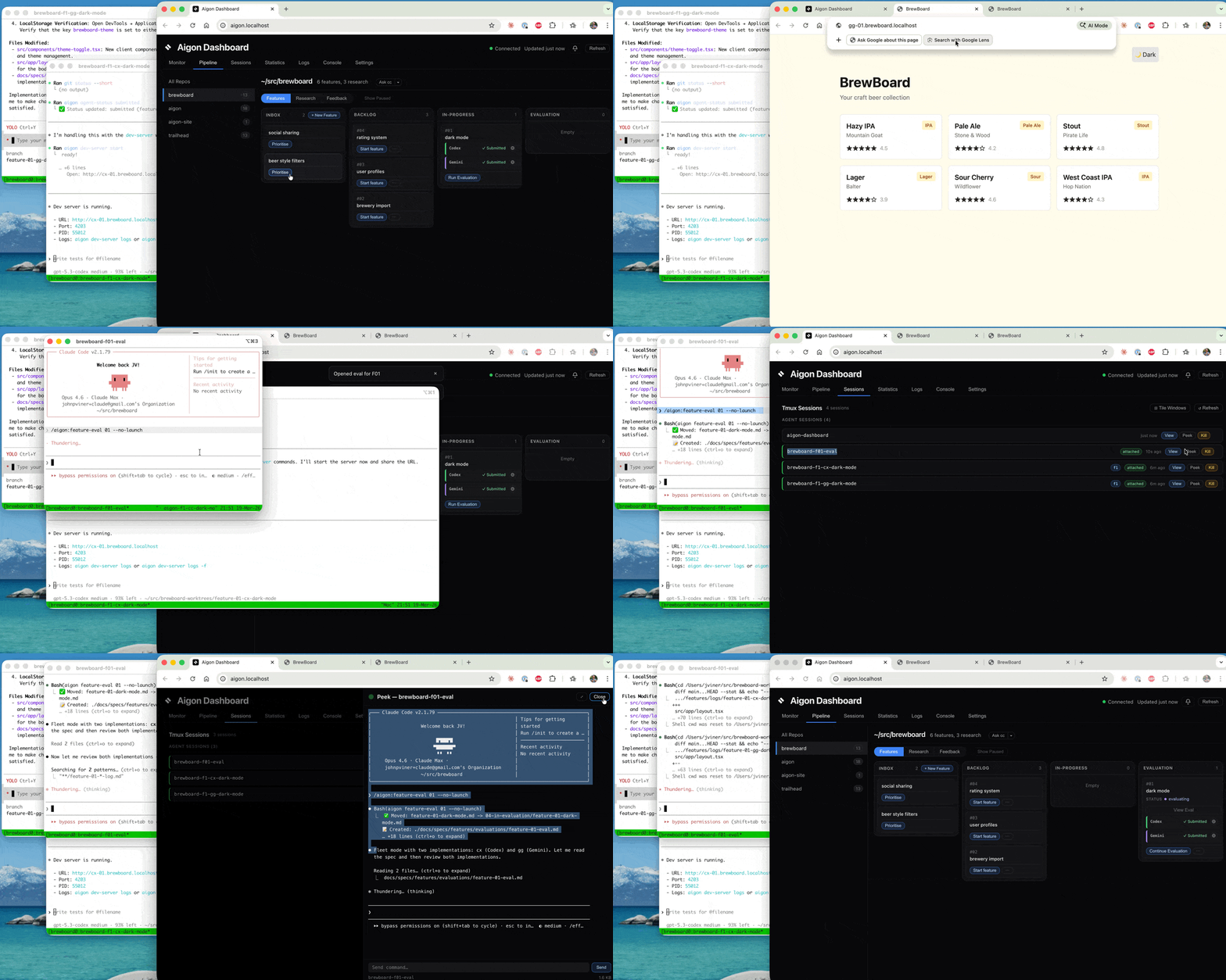
3. Evaluation complete — winner merged

The problem
Parallel agents generate momentum, but tracking what each one did and why becomes manual overhead.
Without spec-linked workflows, merge decisions and implementation tradeoffs disappear into chat history.
Teams rarely compare multiple implementations side-by-side before merging the best approach.
User feedback, research, and implementation often live in separate tools with no shared lifecycle.
CLI in action
Value proposition
Traceability
Research, feature specs, implementation logs, and evaluations stay in Markdown files your team can review and version.
docs/specs/features/03-in-progress/
docs/specs/features/logs/
Vendor independent
Run the same workflow with Claude, Gemini, Cursor, and Codex without rewriting your process around one tool.
aigon install-agent cc gg cx cuShared lifecycle
Aigon links discovery, implementation, review, and follow-up so each cycle improves the next one.
research -> feature -> eval -> closeOperational clarity
Pick the right execution mode for each task and make expected behavior explicit before coding starts.
aigon feedback-triage 14How it works
Choose your mode
Hands-on + one agent
Use when you want tight control over implementation details and review checkpoints.
aigon feature-setup 07Outcome: one guided implementation branch with a full spec and log trail.
Hands-on + multi-agent
Orchestrate competing implementations you can evaluate and adopt the best from.
aigon feature-setup 07 cc gg cxOutcome: parallel worktrees and comparable outputs for structured selection.
Hands-off + one agent
Use when the scope is clear and you want autonomous retries against validation checks.
aigon feature-autopilot 07Outcome: automated implement-validate loop that stops when checks pass or budget ends.
Hands-off + multi-agent
Fully orchestrated, fully autonomous — parallel agent runs converge into comparable outputs ready for evaluation.
aigon feature-setup 07 cc gg cx
# in each worktree:
aigon feature-autopilot 07 --auto-submit
Outcome: concurrent autonomous runs across agents with logs ready for comparison.
The steps
Create a feature spec and move it into the backlog.
Your workflow, visualised
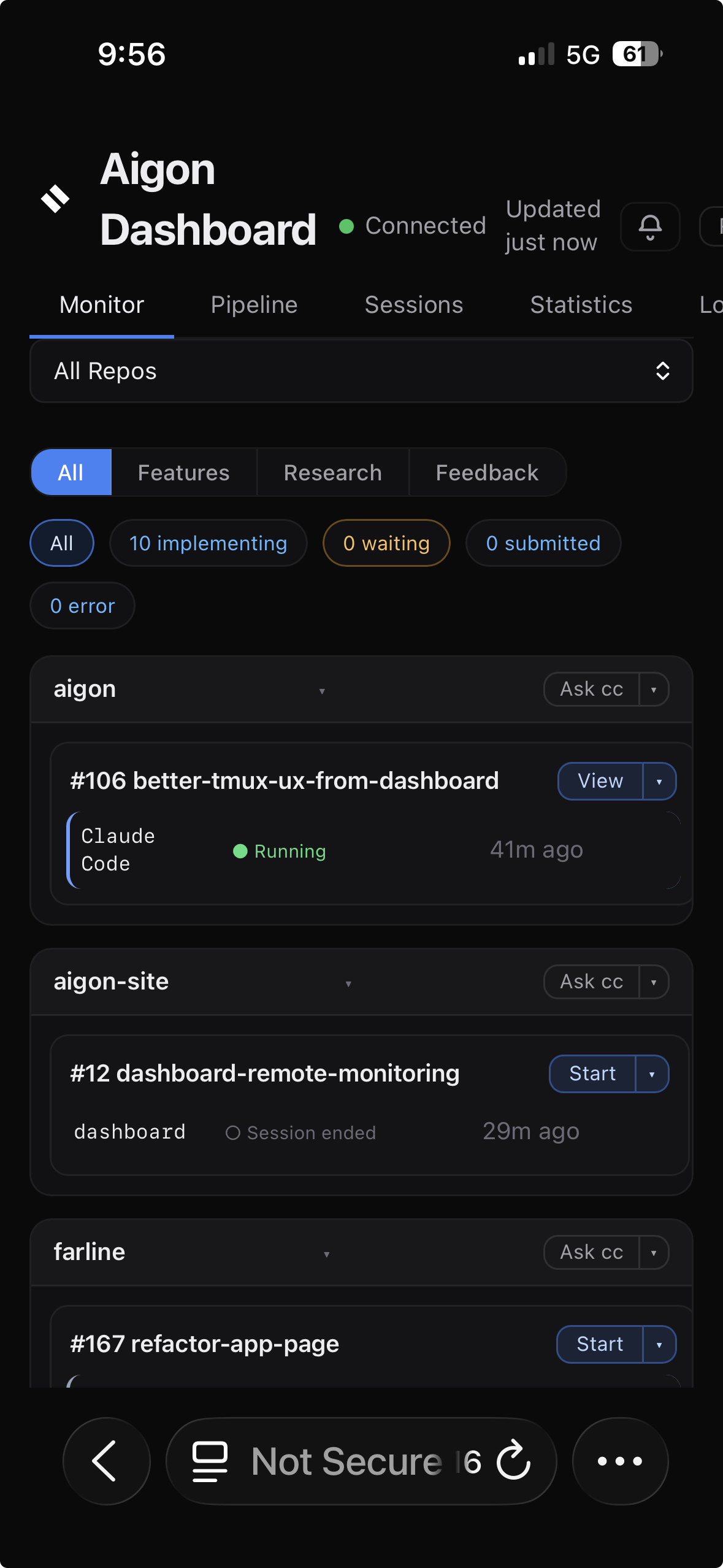
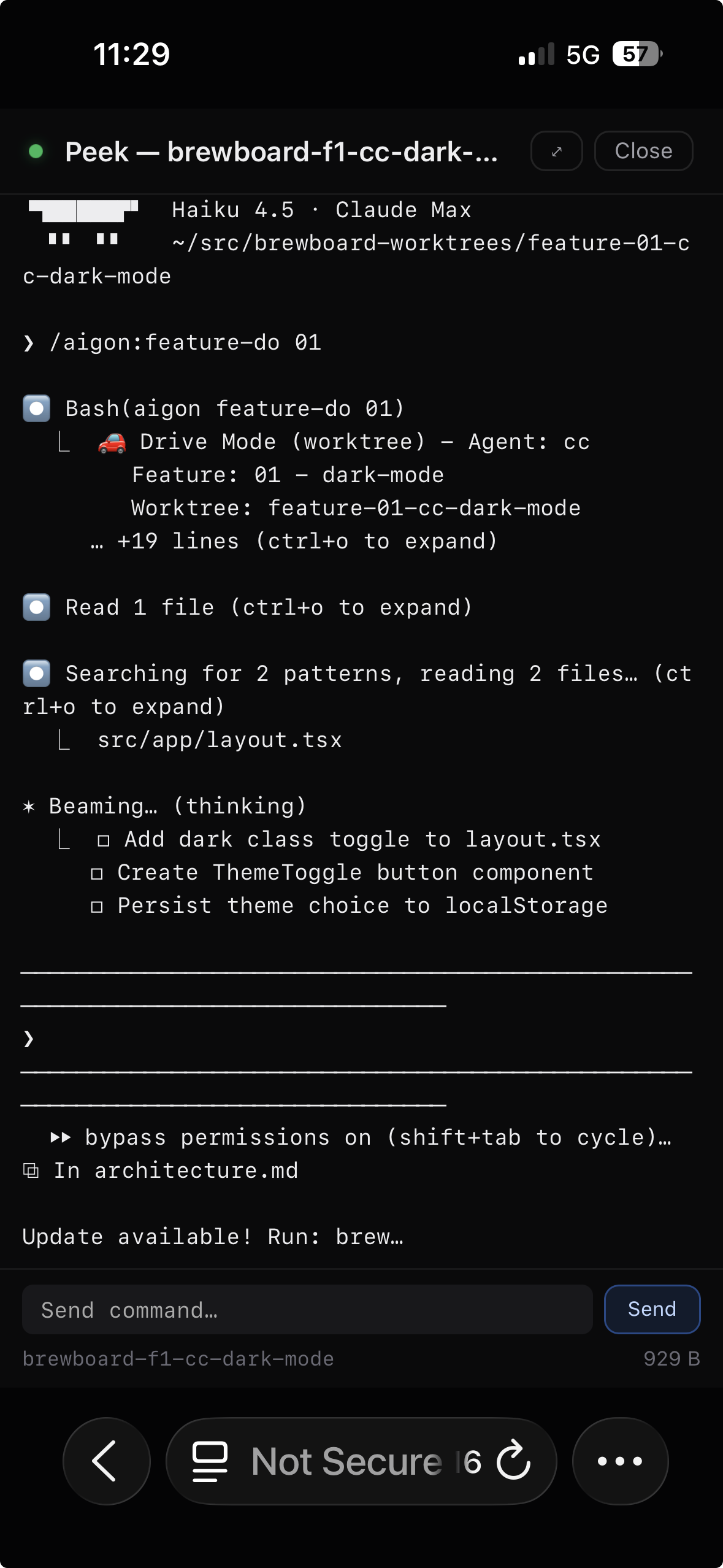
The Aigon Dashboard is the visual way into your spec-driven workflow. Same pipeline, same agents — but managed through a browser UI instead of CLI commands. Drag features across columns, launch agent sessions with one click, and watch your pipeline move in real time. No terminal required.

Visual Workflow
Move features through your development pipeline with a familiar Kanban interface. Every column maps to an Aigon workflow state — no commands to memorise.
Monitor
The monitor tab shows running sessions, attention items, and recent events across all your repositories — everything you need to know at a glance.
Measure
The statistics tab turns your spec history into metrics. Know which agents ship fastest, how your cycle time trends, and whether your pace is accelerating.
Remote Access
The dashboard runs on your local network — open it on your phone or tablet over LAN, or use Tailscale to check on your agents from anywhere. Monitor from the couch.
Documentation
git clone https://github.com/jayvee/aigon.git
cd aigon
npm install
npm link
cd /path/to/your/project
aigon init
aigon install-agent cc gg cx cu
Then, in Claude Code:
/aigon:feature-now dark-mode
Implement a dark mode capability to the website,
with dark mode/light mode toggle in the top right
position of the menu barTech & philosophy
Aigon is built for teams who want disciplined AI-assisted engineering, not opaque automation.
Community
Contribute specs, improve workflows, and share real-world patterns for running multi-agent engineering teams effectively.